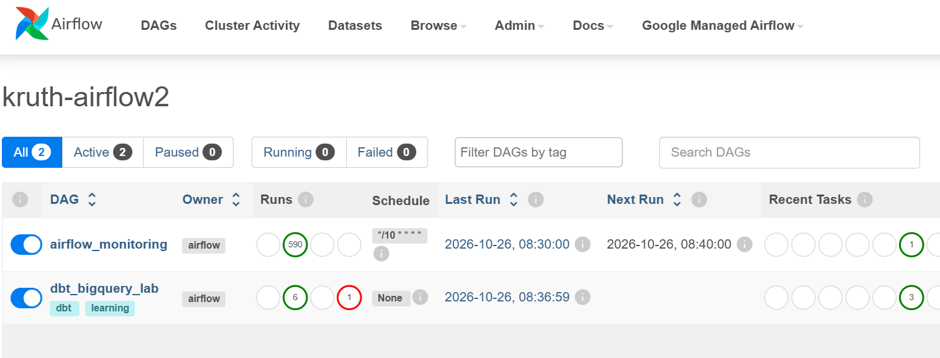
Apache Airflow is a popular open-source tool for orchestrating data workflows, including dbt jobs. It can coordinate tasks across different services. For example, a workflow can wait for a file to appear in Cloud Storage and then start a dbt transformation. Within dbt, dependencies between models, seeds, and other resources are defined using functions such as ref(). Selectors (including selectors.yml) let you define which parts of the dbt project to execute. Airflow starts the selected dbt command, and dbt handles the dependencies within that selection.
I have been lately extending my data knowledge with AI-related learning. First I familiarized myself with the basic concepts and architecture of AI and agentic AI. Then I decided to focus on Azure AI Foundry, because it seems to be quite popular among Finnish customers.
As usual, after some learning, I wanted to build something by myself and write a blog post about it. Actual interface / dialogue box is at the end of the post, so you have to scroll through the whole post to be able to test it 😊. Ok, you can also jump directly to the assistant from here:
I created an Azure AI Foundry AI agent to analyze NHL game data, which I had uploaded into Google BigQuery. I wanted to demonstrate how we can use our own internal data as a source for an AI agent.
I used ChatGPT Codex to help me code this solution and have to admit, it was really good help. Actually, I was quite impressed how much of the development Codex could do for me, especially when I got to the web application part later.
Creating the Foundry project
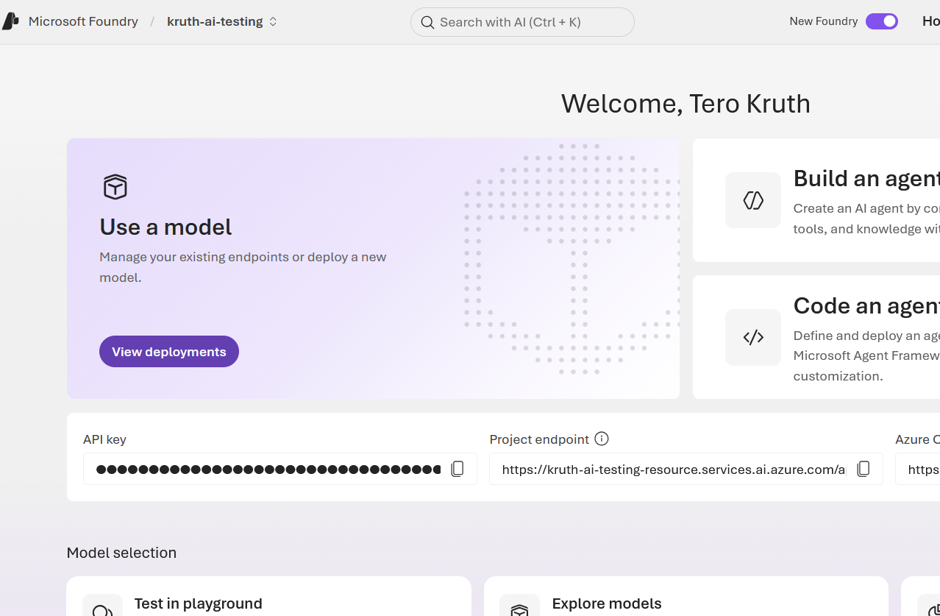
First I created an Azure AI Foundry project. It does not require any special configuration for this simple experiment.
dbt (data build tool) is a tool for transforming and modelling data directly in a data warehouse or data platform, using mainly SQL. Instead of moving data to a separate processing environment, dbt lets you build a collection of reusable data models on top of your existing data. It also adds features such as dependency management, data testing, documentation and lineage. dbt has become increasingly popular among organizations doing modern data engineering, especially as cloud data platforms and the ELT approach have become more common.
I have been playing around with dbt recently and decided to write about how it works in practice with BigQuery. I wanted to do something simple but realistic, so I took some open data from Traficom about used cars imported into Finland.
The idea was not to build anything particularly fancy. I mainly wanted to see how dbt handles the kind of data transformation work that I have previously done with other tools, especially Databricks.
Getting the data into BigQuery
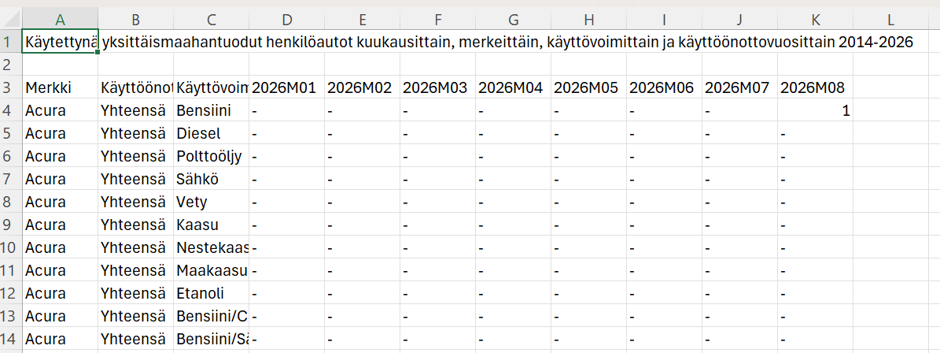
First I downloaded data about used cars imported into Finland during 2026 from the Traficom website.
Looking at the data, it was immediately obvious that I wanted to do some formatting, filtering and translations before the data would be in an optimal form for reporting.
To celebrate my recent AWS certification, I wanted to write something related to AWS and data engineering. I have written previously about AWS Glue, so not about that this time. Then I had an idea, because microservices are nowadays a hot topic. I will investigate can I use AWS Lambda to create ETL microservice. AWS Lambda is an event-driven, serverless computing platform.
Sometimes your ETL requirement might be quite small, so you don’t want to spin up clusters, wait for starting and pay for more than what is actually needed. Lambda natively supports Java, Go, PowerShell, Node.js, C#, Python, and Ruby code. Python is quite popular language when doing code based ETL e.g. with Databricks/Spark. However, Lambda fits only for small scale ETL, because one function execution can only last up to 15 minutes.
To be honest, it was not so easy as I thought, but the end result is very compact and easy to replicate after it has been done once.
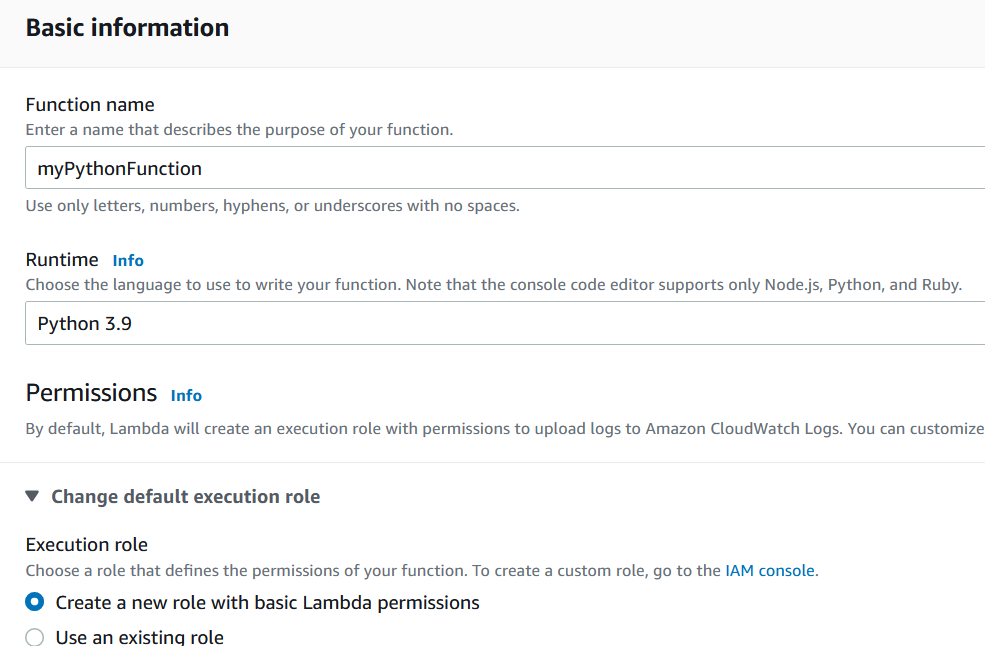
First you go from AWS Console to Lambda service and from there to Functions and Create Function. There are several options to create a new function and I selected ”Author from scratch”.
Briefly in English. Analysis on Finnish crimes and sentences done with Power BI.
Päätin juhlistaa saavuttamaani ”Microsoft certified: Power BI Data Analyst Associate” -sertifikaattia rakentamalla pitkästä aikaa uuden Power BI analyysin pohjautuen avoimeen dataan. Päätin tällä kertaa perehtyä Tilastokeskuksen sivuilta saamiini ”Viranomaisen tietoon tulleet rikokset” ja ”Vankeustuomiot” aineistoihin vuosilta 2015-2020, joita vielä täydensin kuntakohtaisilla asukasluvuilla.
Itse interaktiivinen raportti artikkelin lopussa. Alla esimerkki sivu.
To celebrate my fresh Snowflake certification, I figured I have to write something about Snowflake database. I decided to test its integration with Azure Data Factory (ADF). First you have to create a new Linked Service within ADF. Snowflake can be found from ”Services and apps” category, not from databases.
Taas on alkaneet Liigan pelit, joten oli aika päivittää myös PowerBI raportit uudelle kaudelle. Viime kaudella neuroverkkopohjainen vedonlyöntikertoimien ennustusmalli tuotti 5 €:n panoksilla pelattuna 79 € voittoa, kun laskennallinen tappio olisi ollut 68 €. Toisin sanoen täysin satunnaiseen vedonlyöntiin verrattuna malli oli 147 € parempi.
Aloitin oman vedonlyönnin 24.9. ja parin kierroksen jälkeen tappiota on 31 €. Kausi on pitkä ja paljon ehtii vielä tapahtumaan. Tulen tänne julkaisemaan noita ennustemallin tuottamia vedonlyöntikertoimia ja näytän oman kassan kehitykseni.
Alla on myös toinen PowerBI raportti, joistain valikoiduista Liigan tilastoista.
I have written previously how I used Azure Machine Learning, R-language and Power BI to calculate and visualize betting odds for Finnish ice hockey league games. Now I decided to widen my experiment to include NHL games.
Sain vihdoin korjattua viime kaudella ilmenneet ongelmat, jotka liittyivät sekä jääkiekkoliigan vedonlyöntikertoimien laskemiseen että erilaisten tilastojen julkaisemiseen. Aloitan siis taas näiden tietojen julkaisemisen.
Voi olla, että tilastoja päivitän harvemmin, koska Liigan web-sivu on ruvennut herjaamaan ”Internal Server Erroria”, kun sieltä hakee suurempia tietomassoja. Vedonlyöntikertoimia tulen kuitenkin julkaisemaan joka kierrokselle. Nykyinen malli pohjautuu neuroverkkolaskentaan, mutta suunnitelmissa on laajentaa sitä toisella mallilla (poisson tai voting ensemble pohjainen) ihan vain mielenkiinnosta. Otan mukaan ehkä jopa NHL-pelien vedonlyöntikertoimien laskennan.
Nykyinen neuroverkkomalli oli selkeästi voitollinen toissa kaudella, mutta viime kaudella se oli hiukan tappiollinen. Huomasin korjauksia tehdessäni, että mallin uudelleenkoulutus ei ollut toiminutkaan viime kaudella, mutta nyt tämä virhe on korjattu. Pelaan itse mallin suositusten mukaisesti 5 €:n panoksilla ja päivitän myös vedonlyöntikassani kehitystä. Käytä oikean alakulman nuolisymbolia avataksesi raportin kokonäytön kokoiseksi.
My previously created Azure Machine Learning retraining and scoring model created with Azure Logic App and PowerBI (here is more info https://www.kruth.fi/uncategorized/azure-machine-learning-retrain-running-r-scripts-with-power-bi-and-some-dax/) stopped working last January. I didn’t have enough motivation until now to start digging to find out what was wrong. Reason revealed to be removed component from Azure Logic App – namely Azure ML component. It just doesn’t exists any more.