

dbt (data build tool) is a tool for transforming and modelling data directly in a data warehouse or data platform, using mainly SQL. Instead of moving data to a separate processing environment, dbt lets you build a collection of reusable data models on top of your existing data. It also adds features such as dependency management, data testing, documentation and lineage. dbt has become increasingly popular among organizations doing modern data engineering, especially as cloud data platforms and the ELT approach have become more common.
I have been playing around with dbt recently and decided to write about how it works in practice with BigQuery. I wanted to do something simple but realistic, so I took some open data from Traficom about used cars imported into Finland.
The idea was not to build anything particularly fancy. I mainly wanted to see how dbt handles the kind of data transformation work that I have previously done with other tools, especially Databricks.
Getting the data into BigQuery
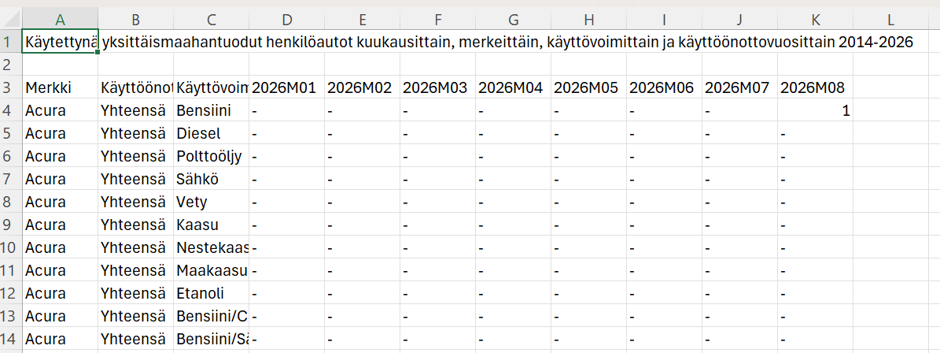
First I downloaded data about used cars imported into Finland during 2026 from the Traficom website.
Looking at the data, it was immediately obvious that I wanted to do some formatting, filtering and translations before the data would be in an optimal form for reporting.
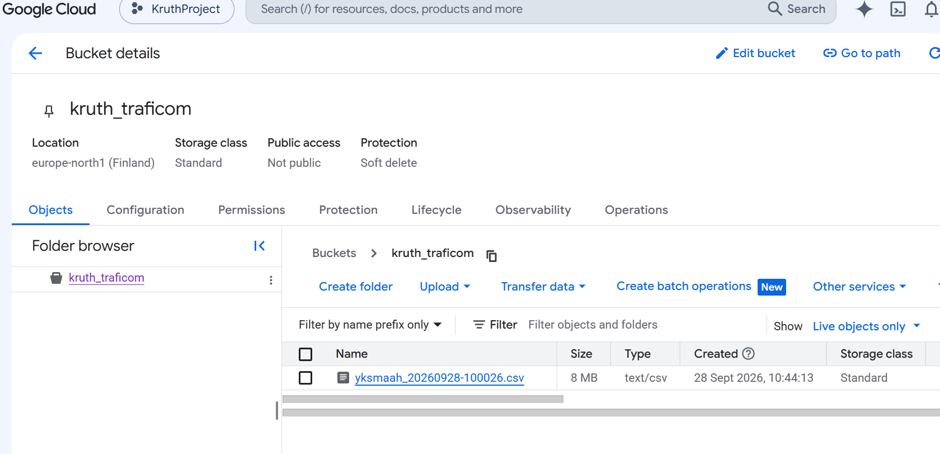
I moved the file into Google Cloud Storage because I wanted to define it as an external table in BigQuery (data remains in the Cloud Storage and is not copied into database).
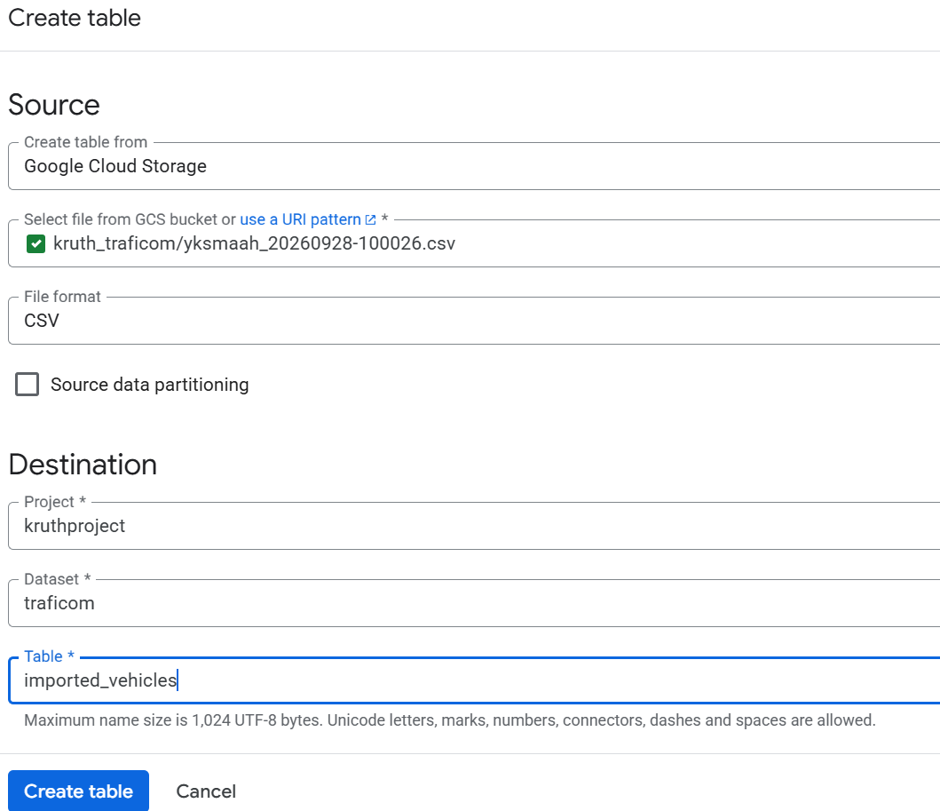
I also renamed the fields when defining the external table.
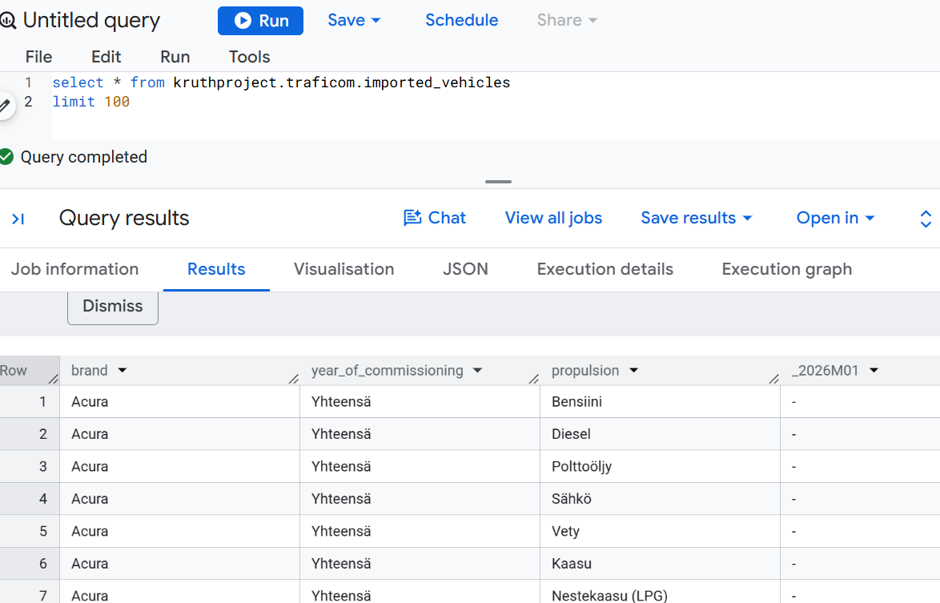
So at this point I had the original Traficom data available in BigQuery, but I had not yet really transformed it.
Connecting dbt to BigQuery
The first thing I had to do in dbt was to establish a connection to BigQuery. I will skip the actual configuration in this blog to save some space.
One thing worth mentioning is that I had to create a new dbt profile because I had uploaded the vehicle data into a Finnish data center, while my previous practice data had been in the USA.
I also had to modify the permissions for my service account in Google Cloud because using an external table required storage.objects.get permissions.
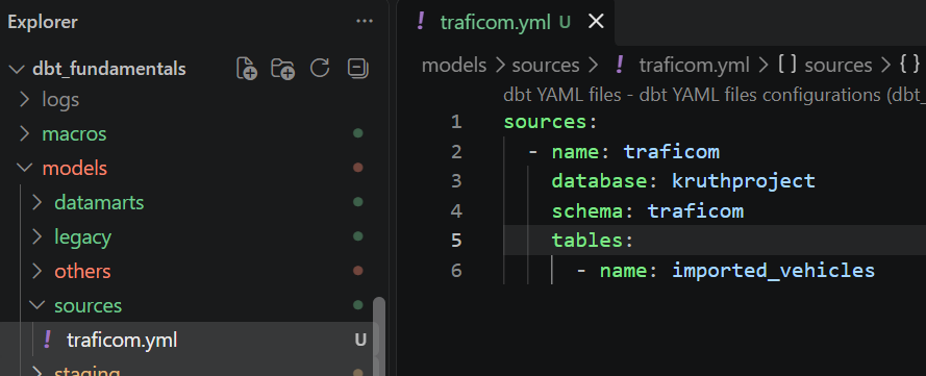
Finally I was able to start the actual dbt development, which I started by defining my just created source in dbt.
I used Visual Studio Code as my development environment for dbt.
First dbt model
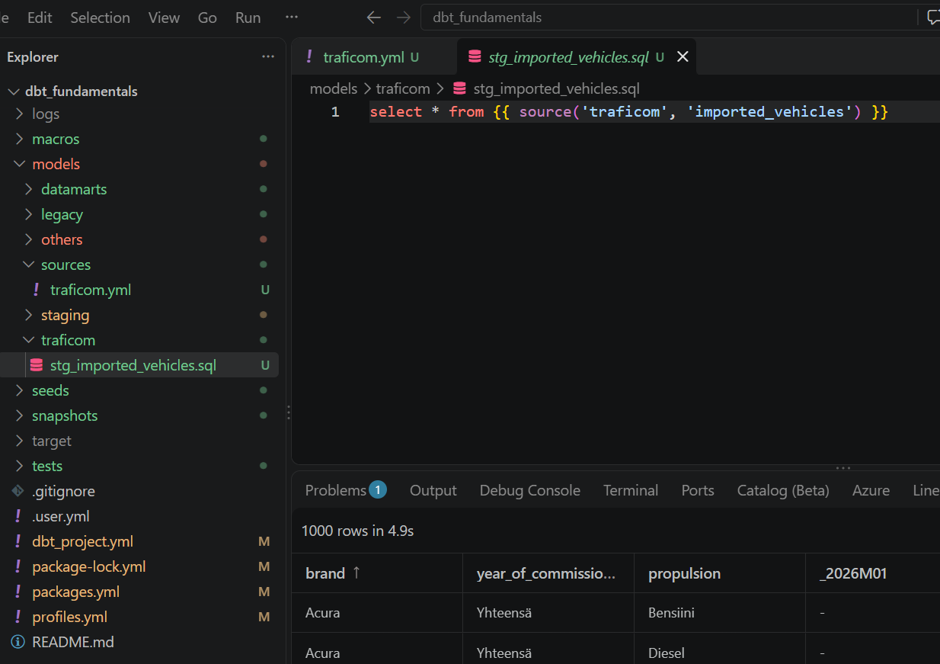
I started the actual data transformation by creating a new dbt model and making sure that I could see the vehicle data.
Here we get to one of the things I like about dbt. The code looks very much like normal SQL, but dbt adds its own functionality around it.
For example, instead of hard-coding the name of the source table, I can write:
select * from {{ source(’traficom’, ’imported_vehicles’) }}
The source() reference tells dbt where the data is coming from and also gives dbt information about the dependency between the source and the model.
Seeds
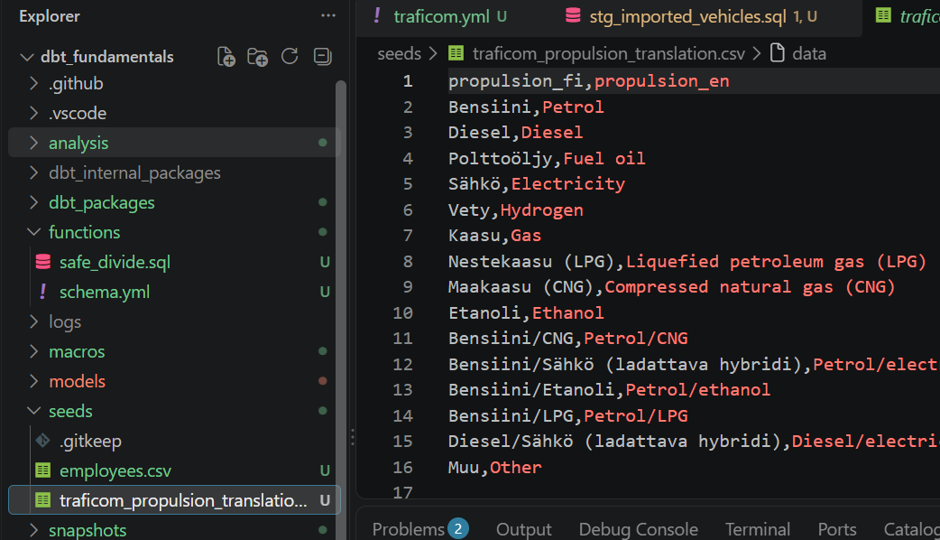
dbt also has a convenient concept called a seed.
Seeds are useful for small datasets that do not change very often. In this case I created a simple translation table containing English names for the Finnish propulsion types.
Something like this is probably not worth building a separate data pipeline for. It is small, relatively static reference data, so keeping it as a CSV file in the dbt project makes sense.
The data can then be loaded into the database with:
dbt seed
After that I can refer to the seed from my model just like I can refer to another dbt model.
This is quite a nice little feature, especially for things like code mappings, country codes or other small reference data.
Doing the actual transformation
Now we can start doing the actual development.
I wanted to do three things with the Traficom data:
- filter out some unnecessary rows
- unpivot the year/month columns into rows
- replace the Finnish propulsion type names with English names
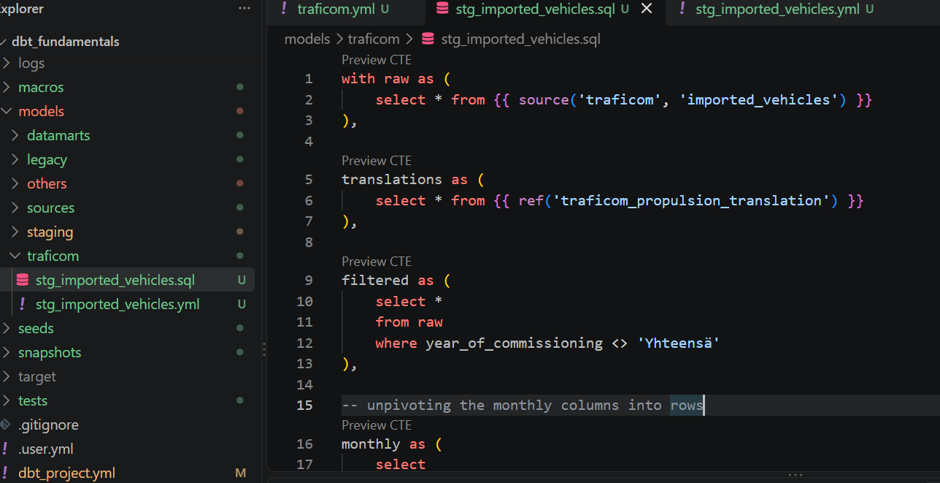
In practice this is done with SQL.
Python can also be used in dbt nowadays, but I haven’t tried that myself yet. The Python support depends somewhat on the data platform and adapter, so for this exercise I decided to stick with SQL.
This is actually one of the interesting things about dbt. If your transformation logic can be expressed well in SQL, you can do quite a lot without needing a separate processing environment. In my case this also made me think about the relationship between dbt and Databricks. dbt is obviously not a replacement for Databricks in every use case, but for SQL-based ELT transformations inside a modern cloud data warehouse, it can provide a very nice alternative.
CTEs make the code more readable
dbt encourages a modular way of writing SQL using CTEs.
I have always liked this approach because it makes it easier to see what happens to the data in each step. Instead of writing one huge SQL statement, you can divide the transformation into logical stages.
My model ended up looking like this:
with raw as (
    select *
    from {{ source('traficom', 'imported_vehicles') }}
),

translations as (
    select *
    from {{ ref('traficom_propulsion_translation') }}
),

filtered as (
    select *
    from raw
    where year_of_commissioning <> 'Yhteensä'
),

-- unpivoting the monthly columns into rows
monthly as (
    select
        brand,
        propulsion,
        year_of_commissioning,
        period,
        vehicle_count
    from filtered
    unpivot (
        vehicle_count for period in (
            _2026M01, _2026M02, _2026M03, _2026M04,
            _2026M05, _2026M06, _2026M07, _2026M08
        )
    )
),

yearmonth as (
    select
        brand,
        propulsion as propulsion_fi,
        year_of_commissioning,
        cast(substr(period, 2, 4) as int64) as year,
        cast(substr(period, 7, 2) as int64) as month,
        vehicle_count
    from monthly
    where vehicle_count <> '-'
),

joined as (
    select *
    from yearmonth
    join translations t
        on yearmonth.propulsion_fi = t.propulsion_fi
),

final as (
    select
        brand,
        propulsion_en as propulsion,
        year_of_commissioning,
        year,
        month,
        cast(vehicle_count as int64) as vehicle_count
    from joined
)

select *
from final
One thing I particularly like is that I can preview the results while developing the model.
This means I don’t always have to build the complete model just to see what happens to the intermediate result.
ref() and lineage
Notice also this part near the beginning:
select * from {{ ref(’traficom_propulsion_translation’) }}
This refers to the translation table that I created earlier as a dbt resource.
This is where dbt starts becoming more than just a way of storing SQL scripts.
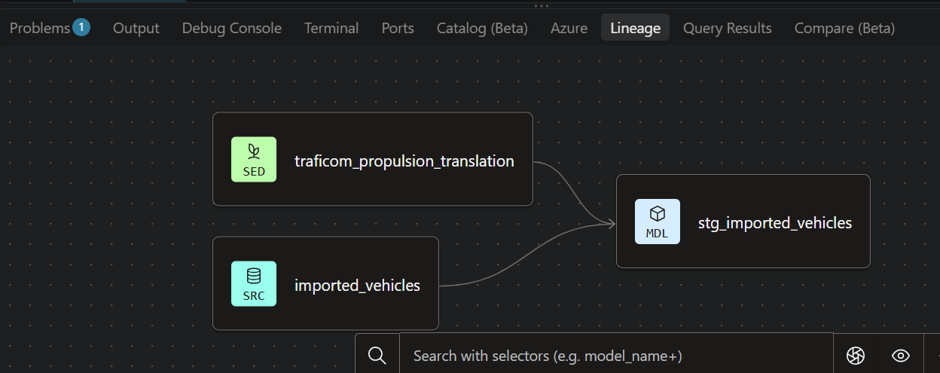
When models refer to each other using ref(), dbt knows about the dependencies between them. It can therefore build the models in the correct order.
It also gives you a visual lineage graph showing how the different sources and models are connected.
This is quite useful when the number of transformations starts growing. Instead of having to remember which SQL script needs to be executed before which other SQL script, the dependencies are part of the dbt project itself.
YAML and documentation
I also created a YAML file for the model where I described the final fields.
This is not strictly necessary for a simple exercise like this, but it is something that becomes much more interesting in a real project.
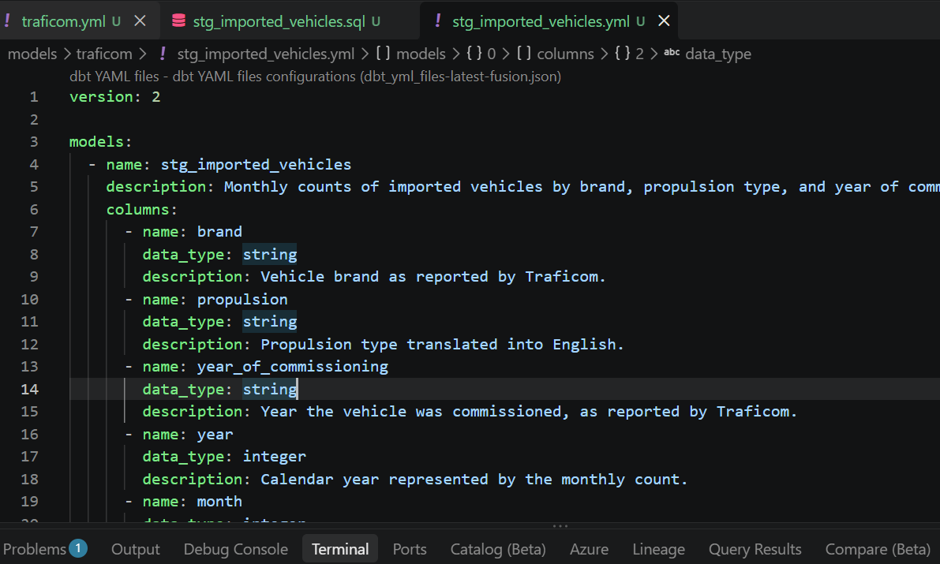
You can use YAML not only for documentation but also for data tests.
For example, you could define that a column must not contain NULL values or that values must be unique.
Something like:
models:
– name: stg_imported_vehicles
columns:
– name: brand
data_tests:
– not_null
You can then run:
dbt test
This is one of the areas where I think dbt differs quite nicely from simply having a collection of SQL scripts. The transformation code, dependencies, documentation and data quality checks can live in the same project.
For a larger data platform this can become quite important.
Building the model
When I was happy with the intermediate results, I ran the model with:
dbt build –select stg_imported_vehicles
dbt basically compiles the SQL and executes it in the database.
So this is an ELT approach rather than a traditional ETL approach where the transformation would necessarily happen in a separate processing engine.
The final result in the database can be either a table or a view, depending on the model configuration.
With my initial configuration, dbt created a view.
I wanted to create a physical table instead, so I added this configuration to the beginning of my model:
{{ config(materialized=’table’) }}
And that’s it.
The same transformation logic can now be materialized as a table instead of a view.
This is another feature I like in dbt. You don’t have to rewrite your SQL just because you want to change how the result is stored.
For larger models there are also other materialization options, for example incremental models, so in a real production environment there are quite a few possibilities for optimizing how models are built.
What did I get?
Finally I checked how the data looked in BigQuery.
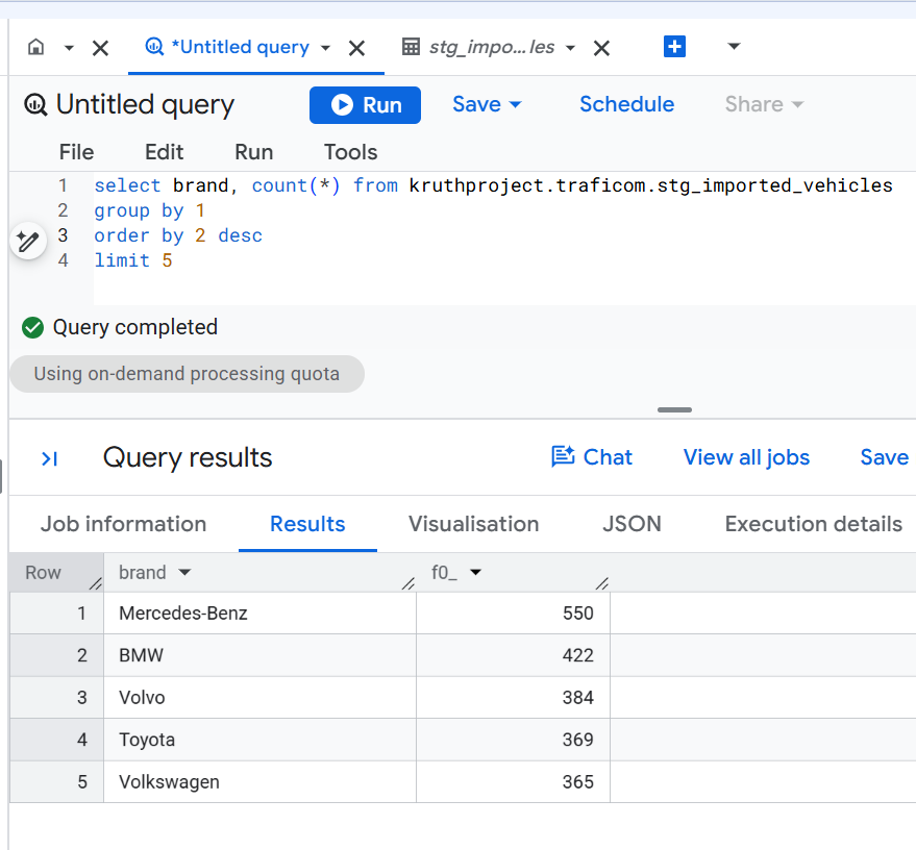
Apparently Mercedes-Benz has been the most commonly imported brand into Finland in this data so far this year.
The list also looks quite different from the list of cars being sold as new cars. No big surprise there, I suppose.
Final thoughts
So, what did I think about dbt?
I actually liked it.
The basic idea is quite simple: write SQL models, let dbt handle the dependencies between them, and let the actual database do the processing.
But the interesting part is everything around the SQL.
Sources, models, ref(), lineage, documentation, testing and different materializations turn a collection of SQL statements into something that starts to look much more like an actual data transformation project.
I also think dbt fits particularly well into the modern cloud data warehouse approach. If the data is already in BigQuery, Snowflake, Databricks or another supported platform, there is often little reason to move the data somewhere else just to perform SQL transformations.
Of course, dbt doesn’t solve every problem. If you need extensive Spark processing, complex Python logic, streaming or other workloads outside the normal SQL/ELT pattern, you may still need something like Databricks or another processing platform.
But for the type of transformation I tested here, dbt feels surprisingly straightforward.
And after spending quite a lot of time with Databricks and other data engineering tools, it was actually refreshing to do the whole thing with SQL and a relatively small amount of additional tooling.
I think I will have to play around with dbt a little more.